In today’s connected world, data breaches expose millions of records yearly. Reports from Verizon’s DBIR highlight how 74% of breaches involve human elements like phishing, while IBM notes the average cost of a breach hit $4.88 million last year. These incidents underscore the urgency of data privacy protection during routine activities such as browsing social media, checking emails, or using shopping apps. Hackers exploit weak spots to steal credentials, commit identity theft, and sell data on the dark web, while trackers from services like Google Analytics follow your every click for targeted ads.
Everyday internet usage amplifies these risks, as personal data security becomes vulnerable through overlooked habits. Without strong data privacy protection, you invite cyber threats that lead to financial loss, reputational harm, and endless spam. This post outlines 10 essential strategies to fortify your defenses, from password hygiene to advanced tools, empowering you to browse safely and minimize exposure.
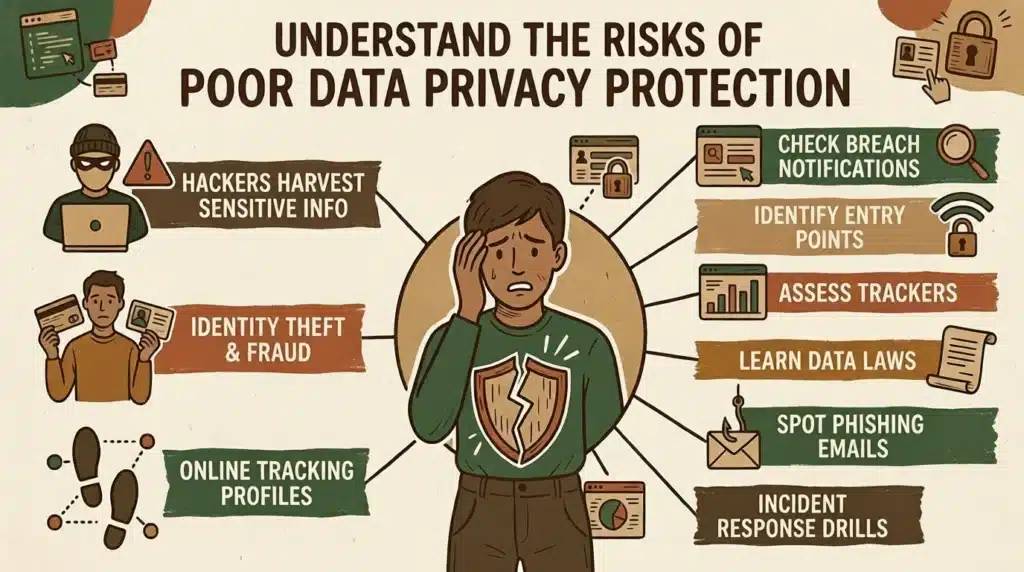
Understand the Risks of Poor Data Privacy Protection
Failing to prioritize data privacy protection leaves you open to hackers who use phishing scams and malware to harvest sensitive info like bank details or social security numbers. Identity theft thrives when personal data falls into wrong hands, enabling fraud that drains accounts and tarnishes credit. Online tracking via browser fingerprinting and cookies builds detailed profiles without consent, fueling invasive advertising and potential blackmail.
- Review breach notifications from sites like Have I Been Pwned to check exposed accounts.
- Identify common entry points such as public Wi-Fi and outdated apps.
- Assess how trackers like Google Analytics profile your habits across sites.
- Learn about laws like GDPR and CCPA that mandate data minimization but require user vigilance.
- Spot phishing emails mimicking banks or services to avoid credential theft.
Strategy 1: Implement Strong Password Practices
Robust passwords form the foundation of data privacy protection by thwarting brute-force attacks from hackers. Use unique, complex combinations of letters, numbers, and symbols for each account to prevent one breach from cascading. Pair this with password managers like LastPass, which generate and store them securely, reducing reuse risks that fuel 81% of breaches per Verizon stats.
- Create passwords at least 16 characters long with uppercase, lowercase, numbers, and symbols.
- Avoid predictable patterns like “password123” or personal info such as birthdays.
- Employ a password manager to autofill and audit for weaknesses.
- Change passwords immediately after suspected compromises.
- Enable biometric locks like fingerprint or face ID where available.
- Test strength with tools like zxcvbn before saving.
Strategy 2: Enable Two-Factor Authentication Everywhere
Two-factor authentication (2FA) adds a vital layer to data privacy protection, requiring a second verification like a text code or app notification even if hackers snag your password. This blocks 99% of automated attacks, making identity theft far harder despite rising phishing attempts.
- Activate 2FA on email, banking, and social accounts first.
- Prefer app-based authenticators like Google Authenticator over SMS for security.
- Use hardware keys such as YubiKey for high-risk sites.
- Backup recovery codes in a secure offline spot.
- Review and revoke unused 2FA devices periodically.
Strategy 3: Use a VPN for Secure Browsing
Virtual Private Networks (VPNs) encrypt your internet traffic, shielding data privacy protection on public Wi-Fi where hackers lurk. Tools like ExpressVPN mask your IP, preventing location-based tracking and man-in-the-middle attacks during daily streaming or emailing.
- Choose no-logs VPNs audited for privacy.
- Connect before accessing sensitive sites.
- Select protocols like WireGuard for speed and security.
- Avoid free VPNs that often sell user data.
Strategy 4: Adjust Browser Settings and Use Incognito Mode Wisely
Browser tweaks enhance data privacy protection by limiting cookie consent and blocking trackers. Incognito mode prevents local history storage, though it does not hide you from sites or ISPs combine it with extensions for full effect.
- Clear cookies and cache weekly.
- Enable “Do Not Track” and strict tracking prevention.
- Install uBlock Origin to stop ads and fingerprinting.
- Use private windows for sensitive searches, but pair with VPN.
Strategy 5: Keep Software and Devices Updated
Regular updates patch vulnerabilities that hackers exploit, ensuring data privacy protection against zero-day threats. Automate them to cover OS, apps, and browsers, as unpatched systems account for 60% of infections.
- Enable auto-updates on phones, computers, and routers.
- Restart devices weekly to apply patches.
- Use tools like Ninite for batch updates.
- Check for firmware updates on smart home devices.
- Subscribe to vendor security alerts.
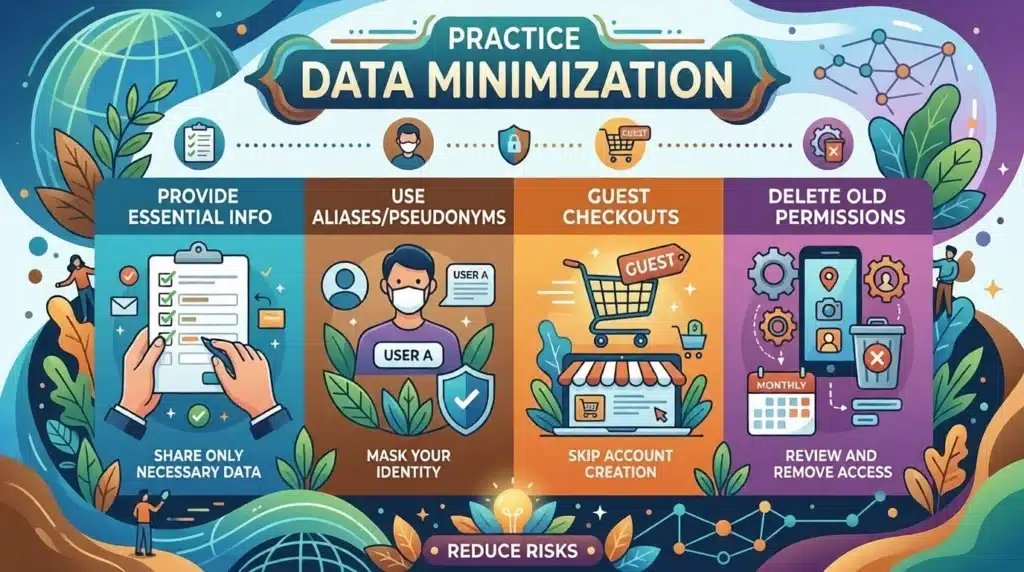
Strategy 6: Practice Data Minimization in Apps and Forms
Data minimization limits what you share, bolstering data privacy protection by reducing hacker targets. Skip optional fields and use temporary emails for sign-ups to curb identity theft risks.
- Provide only essential info during registrations.
- Use aliases or pseudonyms where possible.
- Opt for guest checkouts in e-commerce.
- Review and delete old app permissions monthly.
Strategy 7: Install Reputable Antivirus and Anti-Malware Tools
Antivirus software scans for threats in real-time, fortifying data privacy protection against ransomware and spyware. Choose suites with web shields to block malicious downloads during everyday surfing.
- Run full scans weekly.
- Enable real-time behavioral monitoring.
- Avoid pirated software that bundles malware.
Strategy 8: Master Email Hygiene to Avoid Phishing
Email discipline prevents scams that bypass other data privacy protection measures. Scrutinize links and attachments to stop credential theft leading to broader breaches.
- Verify sender domains before clicking.
- Hover over links to check destinations.
- Use filters to quarantine suspicious mails.
- Enable spam reporting in clients like Gmail.
Strategy 9: Tighten Social Media Privacy Controls
Social platforms leak data unless locked down, so adjust settings for data privacy protection against doxxing and tracking. Limit posts to friends and disable location sharing.
- Set profiles to private.
- Review third-party app access.
- Paste here your custom privacy policy in bios.
- Disable facial recognition features.
Strategy 10: Deploy Tracking Blockers and Encryption Tools
Blockers like Privacy Badger halt trackers, while encryption tools secure files, completing data privacy protection against surveillance. These counter browser fingerprinting and ensure end-to-end safety.
- Add DuckDuckGo Privacy Essentials extension.
- Use Signal for encrypted messaging.
- Encrypt hard drives with BitLocker or FileVault.
- Opt for HTTPS Everywhere.
Conclusion
These 10 strategies spanning passwords, 2FA, VPNs, updates, and more equip you to combat hackers, identity theft, and tracking in daily internet use. Start small by auditing one area today, then layer on protections for comprehensive personal data security consider enrolling in a cybersecurity course can deepen your skills. Consistent habits turn vulnerabilities into strengths, aligning with global standards like GDPR and CCPA. As a social media strategist in Thrissur, I recommend implementing these data privacy protection strategies today to stay secure online.
Frequently Asked Questions
What is data privacy protection?
It involves practices and tools to control who accesses your personal information online. It prevents unauthorized use by hackers or trackers. Everyday users benefit from it to maintain control over browsing data.
How does data privacy protection prevent identity theft?
Data privacy protection blocks thieves from stealing credentials via strong passwords and 2FA. It minimizes shared data, reducing fraud risks. Tools like VPNs hide your activity from prying eyes.
Why use a VPN?
VPNs encrypt traffic, vital for public Wi-Fi. They mask IPs to evade tracking. This safeguards logins and streams from interception.
Can browser extensions improve data privacy protection?
Yes, extensions like uBlock Origin block trackers and ads. They combat fingerprinting effectively. Combine with strict settings for best results.
How often should you update softwares?
Update weekly or enable auto-patches to fix exploits. This closes doors to cyber threats. Neglect invites breaches.
What role do privacy laws play in data privacy protection?
Laws like GDPR and CCPA enforce company accountability. Users must still apply personal strategies. They promote consent and minimization.
Are free tools enough for the protection?
Free options work for basics but lack audits. Invest in premium for robust defense. Balance cost with security needs.
